 Clayground
Nomad Sculpt is a paid app, and a very good one, for sculpting on an iPad, an Android tablet or a computer. If you can't install apps (a school Chromebook, a work laptop, someone else's phone) or want to try sculpting before you pay for anything, the closest free option is a sculptor that runs in a web page. Clayground's browser studio is one: lighter than Nomad, built for quick characters, layers and painting rather than millions of polygons.
Side by side
| Topic | Clayground browser studio | Nomad Sculpt |
|---|---|---|
| Price | Free, no account | Paid app |
| Install | None, it's a web page | App on iPad, Android or desktop |
| Best at | Quick characters, squishing, painting, layers | High-detail digital sculpting |
| Start | One tap makes a random character to sculpt | Start from a base mesh |
| Shapes | Ball, block, cylinder, capsule, cone and ring. Add, cut or keep the overlap, with a seam you can melt soft | Primitives with voxel merge and booleans |
| On a phone | Thumb sliders for size and strength, a quick ring of tools on a long press, favorite tools pinned by holding them, two-finger tap to undo | Side sliders, a radial menu, two-finger tap to undo |
| Masks and symmetry | Mask brush with invert, clear, extract to a layer and mask-the-creases; mirror across X, Y and Z, and radial symmetry 3 to 8 ways | Masks; symmetry |
| Looks and light | Clay, Glossy, Plastic and Wax, and four light presets, for pictures and clips | PBR materials and lighting |
| Undo and backups | Unlimited undo (bounded by memory), autosave on the device, small backup files | Undo history; files on the device |
| Animation | One-press loops, stop-motion boil, clip export | Check Nomad's site for current features |
| Export | GLB with color, OBJ | Many 3D formats |
| Shaping a whole part | Twist, bend, narrow, widen, squash and stretch a layer a step at a time, or drag knobs on its box: round ones stretch a side, square corners pull the clay like a cage | Asked for on its forum (bend, twist, taper, lattice): not yet |
| Sharing | Seven-day share links; anyone with one can remix the sculpt in the studio | Export a file and send it |
| VR | The full Clayground app is free on Meta Quest | No |
If your hands already know Nomad
Some things will feel familiar. A two-finger tap undoes. On a phone or tablet, Size and Strength are thumb sliders at the side, and they move from where your thumb lands. Hold one finger still on the clay for half a second and a ring of the everyday tools opens under it, like Nomad's radial menu. Hold a tool in the row to pin it to the front. Hold Dig (or Ctrl on a keyboard) to make a tool do the opposite, the way Nomad's sub toggle does: Clay carves, Inflate deflates, Smooth sharpens. Mirror is one tap, and there's a Mask tool that shields clay from every other tool.
What's different is the clay. Nomad sculpts a mesh, with voxel remeshing and dynamic topology when you need them. The browser studio sculpts volumetric clay, so there's nothing to remesh; you raise or lower a layer's detail instead. Two of the most-discussed requests on Nomad's own forum, a volume sculpting mode and a version for a PC, are what this is: volume clay, in any browser, on any computer or phone. The deformers people ask for there (twist, bend, taper, squash) are a row of buttons in Layers.
When Nomad is the better pick
If you sculpt seriously on an iPad, want fine detail, dynamic topology and lots of brushes, Nomad Sculpt is excellent and worth paying for.
When the browser studio is the better pick
- You're on a school laptop, a Chromebook or someone else's phone, and can't install apps.
- You want to try sculpting before spending anything.
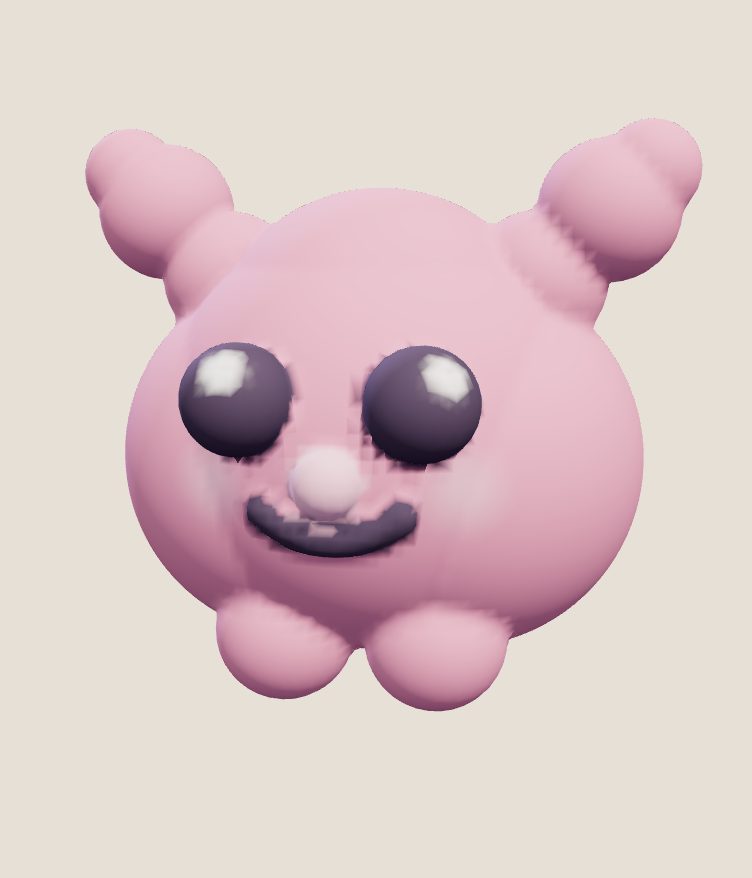
- You want a cute character fast: start from a Phetta Fella, then squish it until it's yours.
- You want to keep going in VR later: the same clay lives in Clayground on Quest.
Try it
Open the browser studio. Drag on the clay to build; right-drag turns the view on a computer, and a finger on empty space does on a phone. When you're done, export a GLB, save a picture, or record a little clip of it moving. If you're new, here's how it works on a phone.
Questions people ask
Does the browser studio work on iPhone and Android?
Yes, in Safari or Chrome. On a phone, Size and Strength are thumb sliders at the left edge.
Do I need an account?
No. Your sculpt saves on your device. Sign in only if you want to keep it online or share it.
Can I import my Nomad model?
You can import a GLB as editable clay. Thin details may soften, and textures aren't imported, so keep your original.
Sources
Checked October 15, 2026.