
A free 3D clay sculpting studio for classrooms
It runs in a browser tab. No student accounts, no chat, no ads.
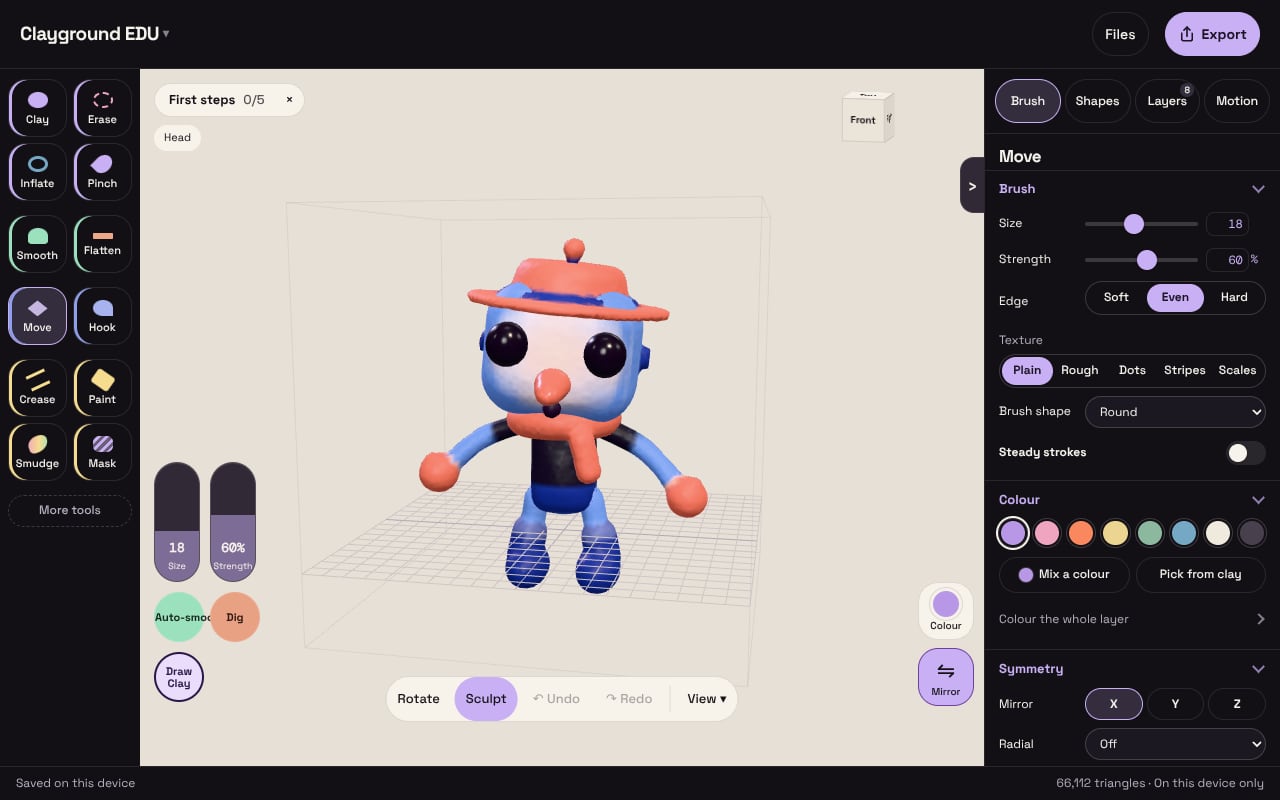
The facts
| Topic | Clayground EDU |
|---|---|
| Cost | Free. There is nothing to buy and no locked tools. |
| Ages | Made for 8 and up. |
| Student accounts | None. Sculpting and the games need no account, email address or date of birth. |
| Chat | None. Room games join with a four-letter code and a nickname. |
| Ads | None. |
| Data about students | None collected. Work stays in the browser on that device, and page views are counted anonymously without cookies. |
| Devices | Chrome on Chromebooks, laptops, tablets and phones. It needs WebGL 2 and works with a mouse, trackpad, pen or touch. |
| Install | None. |
| Offline | After one visit, the studio reopens without a connection. |
| Handing in work | Students export a picture, a project file or a print file and submit it the way they submit any file. |
| Accessibility | Keyboard navigation, visible focus and reduced motion on the site. Sculpting needs a pointer. |
| Language | English. |
Teach with it
Clayground is a studio and a set of games, not a curriculum or a test, and it has not been tested for learning outcomes yet.
- A 45-minute lesson: turn a ball into an animal with shapes, paint it, export it.
- Academy: twelve ideas about 3D, from scale and volume to why boats float, learned with Fix It puzzles.
- Clay Views: a ten-minute starter for the board, a new set every day.
- 3D sculpting for kids: ages, safety and first projects.
What students take home
A picture, a short animated clip, or a print-ready STL file at 60 mm, about 30 to 90 minutes on a school printer. A sculpt with several coloured layers can also export a zip with one STL per layer. Save project keeps an editable copy students can reopen.
For IT
- Open the studio on one device first and check that it loads on your network.
- The studio loads only from clayvr.com, so allowing that domain is enough. It never asks for the camera, microphone or location.
- Room games also connect to a separate server at clay-party.hey-b4d.workers.dev. If your filter blocks it, those games can't start and the studio still works.
- Use a current browser with WebGL 2 and hardware acceleration on. If WebGL can't start, the studio says why and what to try.
- Some school Chromebooks clear browser data when a student signs out. Have students export or save a project file before they log out.
- The accessibility page says what has and hasn't been checked.
Privacy for schools
- No student accounts. Clayground asks for no name, email address or date of birth to sculpt or play. Accounts, the public gallery and minting are for adults (18 and over), and the classroom studio has none of them.
- Work stays on the device. A student's sculpts, saves and settings are kept in that browser. They leave it only when a student exports a file or shares a link.
- Room games take a nickname. Players type a nickname, may name a fighter, and join with a room code. Those names and what they make are shared with the other players in that room, and a room is deleted after six hours at most. There is no chat. Ask students to use a nickname, not a real name.
- No ads, and nothing sold. There are no advertising trackers, and personal information is not sold or used for targeted advertising.
- Anonymous page counts. Page views are counted without cookies. To see whether people come back, the browser sends how many days it has been since the first visit, never who a student is or what they made.
- The privacy policy, cookies and storage and data deletion pages have the full detail. If your district needs a data agreement or a questionnaire filled in, get in touch.
Who makes it
Clayground is made and run by Emotionull, an independent artist. About.
Questions
Do students need accounts or email addresses?
No. Nothing in the studio or the games needs one.
Is it free for schools?
Yes. Everything on the site is free, with nothing to buy and no locked tools.
Does it work on school Chromebooks?
It runs in Chrome on Chromebooks with no install. It has not yet been timed on a range of school Chromebooks, so try one device before a class set.
Where is student work saved?
In the browser on that device. Students export a picture, a project file or a print file to keep or hand in.
Can we print what students make?
Yes. Export, then Print (STL), gives a 60 mm file for a school or library printer.