 Clayground
For free 3D sculpting on an Android phone or tablet, open Clayground’s browser studio in Chrome. It needs no install and no account, works with a finger or a stylus, and exports GLB, OBJ or STL. Nomad Sculpt also has an Android app and is the usual pick for detailed work; check its Google Play page for what is free and what it charges for.
The options
| Topic | Cost | Install | Good for |
|---|---|---|---|
| Clayground browser studio | Free, no account | None; open it in Chrome | Trying sculpting now; characters; sharing a model by link |
| Nomad Sculpt | Check its Google Play page | Google Play app | Detailed sculpting with a long brush list |
| Blender | Free, open source | Official downloads are for Windows, macOS and Linux | Serious sculpting once you are at a computer |
Start in Chrome in a minute
- Open clayvr.com/sculpt in Chrome or another current browser.
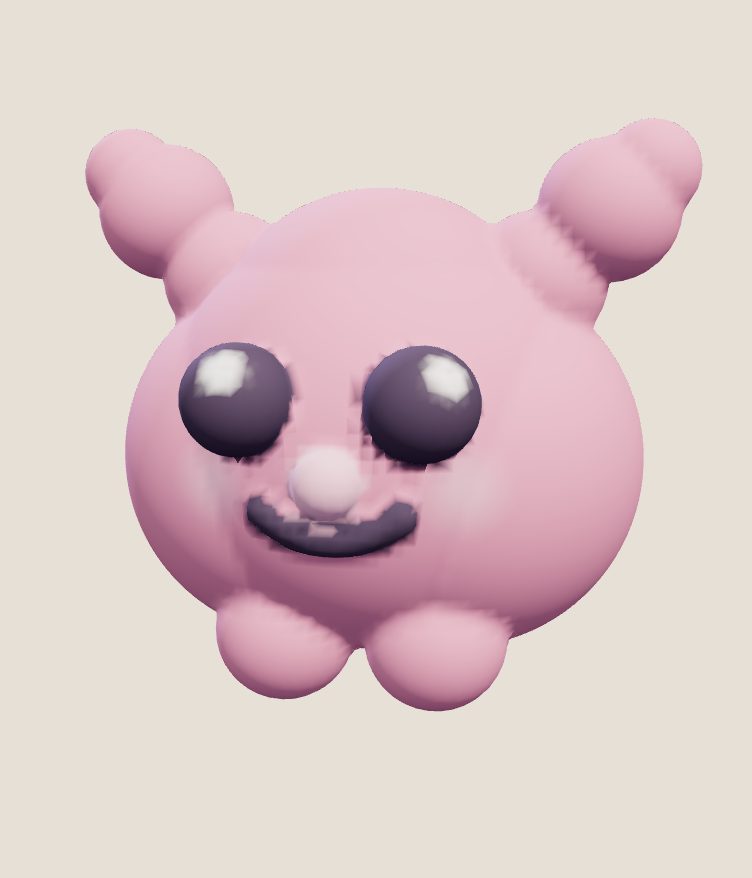
- Pick Phetta Fella on the start card for a random character, or Blob for a plain ball.
- Drag on the clay to push and pull it. Drag the background to turn the model, pinch to zoom, and tap with two fingers to undo.
- To keep it on your home screen, open Chrome’s menu and choose Add to Home screen or Install app, whichever it shows. It opens full screen with its own icon. It is still the browser studio, not a separate app.
On a tablet or with a stylus
A tablet has room for the whole panel, and a phone turned sideways shows every control. Touch and pen input both work in the browser, and with a pen the Draw Clay stroke gets wider where you press harder. How it feels depends on your device and browser, so try it on yours before you decide anything.
On an older phone, lower the layer’s detail. Big shapes don’t need much, and the studio stays smooth.
Saving and exporting on Android
The studio saves your work on the device, in the browser you used. Browsers can clear their storage, so press Save project now and then for a .clayweb backup file you can open on any device.
Export gives GLB, OBJ or STL, and Chrome saves them to your Downloads folder like any other file. Print (STL) makes a 60 mm file for a printer or a print service (print your fella).
When an app is the better pick
For fine detail, big meshes and a long brush list, a native app goes further than a web page. Nomad Sculpt is the one most hobbyists recommend, and it has an Android version; I compare it with the browser studio in a free Nomad Sculpt alternative. Prices and what is included change, so read the Google Play listing before you buy. If you are on a computer, Blender is the free way to go deep.
Questions people ask
Is there a free 3D sculpting app for Android?
Clayground’s browser studio is free in Chrome with no install or account. Nomad Sculpt has an Android app; check its Google Play page for what is free and what is paid.
Does it work on an Android tablet or with a stylus?
Yes. The browser studio takes touch and pen input, and a pen’s pressure widens the Draw Clay stroke. Browser support varies by device, so try it on your own.
Can I get my sculpt off an Android phone?
Yes. Export a GLB, OBJ or STL and Chrome saves it to Downloads. Save project makes an editable backup file.
Is there something simpler for a child?
Yes. See 3D sculpting for kids: the start card makes a character in one tap, and nothing needs an account.
Sources
Checked November 19, 2026.