 Clayground
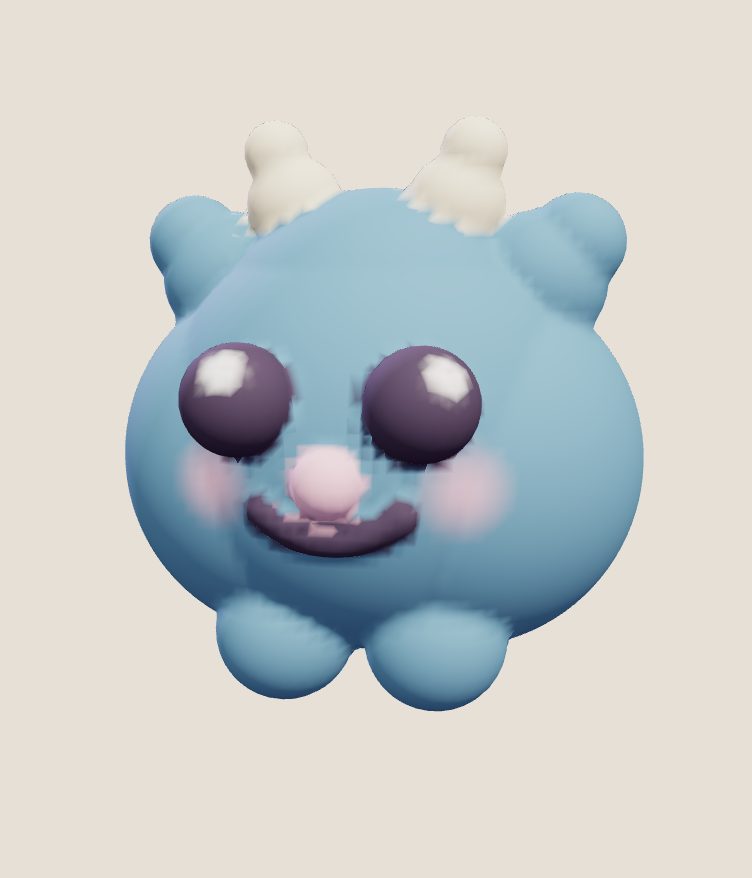
Sculptris is a free sculpting program that Pixologic released as Alpha 6 in June 2011, its last version. Its idea of adding triangles wherever the brush goes lives on as Sculptris Pro inside ZBrush, and the free ZBrushCoreMini that followed it was retired by Maxon in 2025. Free ways to keep sculpting today are Blender's sculpt mode, which has the same triangles-under-the-brush idea in a bigger program; the free plan of ZBrush for iPad; Clayground's browser studio, which runs on any computer or phone with no account; and Clayground on Meta Quest, which sculpts with your hands in VR.
What happened to Sculptris
Pixologic, then the maker of ZBrush, gave Sculptris away as a beginner's program. Its last version, Alpha 6, came out in June 2011 and added a Mac version. The trick that made it feel so easy, adding triangles wherever the brush goes, moved into ZBrush as Sculptris Pro mode.
In 2020 Pixologic launched ZBrushCoreMini as a new free starting point. In May 2025 Maxon, which now owns ZBrush, put ZBrushCore and ZBrushCoreMini into limited maintenance and stopped offering ZBrushCoreMini for download. Maxon said at the time that a free edition of ZBrush Desktop was planned; check its site for whether it has arrived.
The free options, honestly
| Topic | Good for | Hard part |
|---|---|---|
| Blender (sculpt mode) | Free and open source. Its Dyntopo mode adds triangles under the brush the way Sculptris did, and the program also paints, retopologizes and exports. | A big interface to learn; sculpting is one mode among many. |
| ZBrush for iPad (free plan) | Maxon's own tool on a tablet. The free plan has 28 brushes and includes Sculptris Pro. | iPad only, and Maxon decides what the free plan holds, so check its site. |
| Clayground browser studio | Starting from a ball and pushing it around in the next minute, on any computer, Chromebook or phone, with nothing to install and no account. Volumetric clay, layers, color painted on the clay, GLB, OBJ and STL export. | Clay has no triangles to reduce, and there are no UVs or texture maps. |
| Clayground on Meta Quest | Sculpting with your hands in VR, free, on the headset with no PC. | Needs a Quest; the headset's memory limits detail. |
Coming from Sculptris: where things are
Most of what you used has a twin in the studio, on the number keys. Hold Ctrl (or the Dig button on a phone) to make most of them do the opposite, and Shift to smooth.
| In Sculptris | In the browser studio |
|---|---|
| The starting sphere | Blob on the start card, or Shapes for a ball, block or cylinder |
| Draw | Clay (1) builds up; Erase (2) carves |
| Smooth | Smooth (3), or hold Shift |
| Flatten | Flatten (6) |
| Pinch and Crease | Crease (8) |
| Move and Grab | Move (7), or Hook (H) to pull and curl |
| Paint | Paint (4), straight onto the clay |
| Symmetry | Mirror (X) |
| Detail and triangle count | Not needed: clay has no triangles to manage. Raise the layer's detail instead |
When Sculptris is still the better pick
Sculptris is a desktop program, so it needs no browser, and it packs fine triangle detail into one surface. If you already have a copy that runs, you sculpt with a mouse and you want that exact feel, there is no urgent reason to stop. Pixologic no longer maintains it, so copies now come from third-party download sites; get yours from somewhere you trust.
If you want to move on to professional tools later, Blender's sculpt mode is the free step: Blender sculpting for beginners gets you started, and the ZBrush alternative guide says where ZBrush is worth the money.
Bringing a model over
The studio doesn't read Sculptris's own .sc1 files. Export an OBJ from Sculptris, open it in Blender, save it as a GLB, then use Import GLB in the browser studio. Paint and very fine detail may not come across. For a sculpt that started in Clayground, export it to Blender the other way round.
Try it
Open the browser studio and pick Blob on the start card to begin with a ball, the way Sculptris did. Block out the big forms with Clay and Move, then use Smooth and Crease for the detail. When you want a file for the slicer, Export → Print (STL).
Questions people ask
Is Sculptris discontinued?
Pixologic's last version, Alpha 6, came out in June 2011 and there has been no newer one. The free ZBrushCoreMini that followed it was itself retired by Maxon in 2025. Sculptris Pro, a mode that grew out of Sculptris, lives on in ZBrush.
What is the best free Sculptris alternative?
For a full program, Blender. For pushing a ball of clay around in a tab with nothing to install, the Clayground browser studio. On an iPad, the free plan of ZBrush for iPad.
Is there a Sculptris you can use in a browser or on a phone?
Sculptris was a desktop program for Windows and Mac. The Clayground browser studio runs in a tab on any computer, Chromebook or phone, and it is free with no account.
Can I open my Sculptris files in Clayground?
Not directly. Export an OBJ from Sculptris, bring it through Blender as a GLB, and use Import GLB. Paint and very fine detail may not come across.
Sources
- CG Channel: Pixologic releases Sculptris Alpha 6 ↗
- CG Channel: Pixologic launches free ZBrushCoreMini ↗
- Maxon: ZBrushCore and ZBrushCoreMini entering limited maintenance mode ↗
- All3DP: ZBrush free download and the free iPad plan ↗
Checked November 24, 2026.