 Clayground
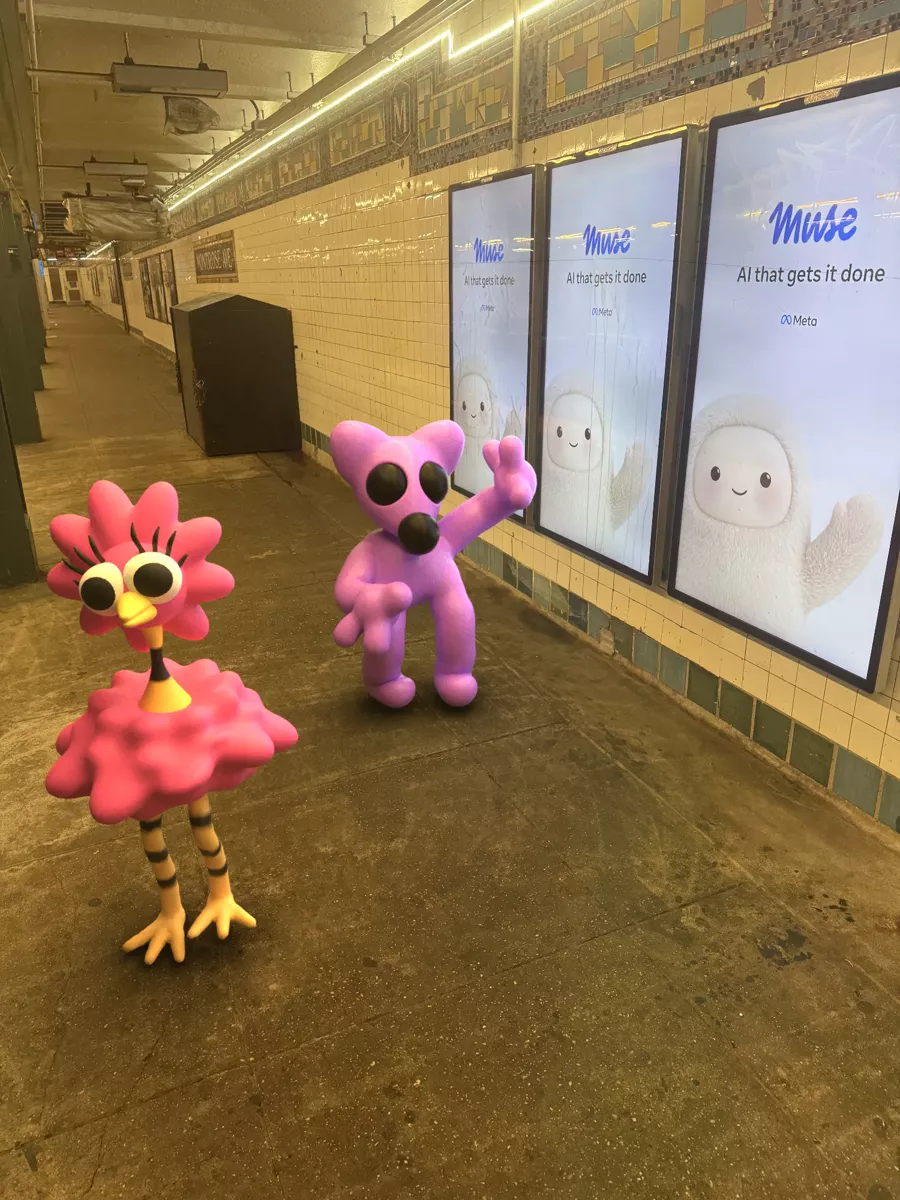
A cute animal is mostly proportion: a big round head, a small round body, short legs, and eyes set low and wide apart. In VR you build it from a handful of balls of clay, join them with Smooth, then add the one feature that says which animal it is, like long ears for a bunny or a striped tail for a fox.
Think in balls
Almost every cute animal is a big body ball, a slightly smaller head ball and a handful of small balls for ears, feet and a tail. Place these first with the Clay tool before you smooth anything. If the balls read as an animal from across the room, the sculpt will work.
Step by step: a little bear
- Make a round body about the size of your fist.
- Add a head ball on top, as big as the body or a little bigger, overlapping it slightly.
- Turn on symmetry. Add two round ears on top of the head, set wide.
- Add a small ball low on the face for the muzzle, and a smaller dark one on it for the nose.
- Push in two eye sockets, low and far apart, and add round eyes.
- Add four short stubs for arms and feet. Keep them short; long limbs look less cute.
- Smooth every join so the balls become one animal. Pull the ears into shape with Move rather than adding more clay.
- Paint a lighter muzzle and tummy, darker ear insides and a soft pink on the cheeks.
Pick what makes it that animal
- Cat or fox: triangular ears, a small muzzle, a long tail.
- Bear or mouse: round ears on top, a round tummy, tiny arms.
- Bunny: tall ears and a small round tail.
- Frog: eyes on top of the head, a wide mouth, no neck at all.
- Bird: a teardrop body, a tiny beak, and wings as flat little paddles.
- Dragon or dino: two horns or spikes, a chunky tail, short legs.
Proportions that read as cute
Big head, small body. Eyes below the middle of the head and wide apart. Nose and mouth small and close together. Short legs, round everything. When something looks creepy instead of cute, it’s nearly always the eyes: move them lower and further apart, or make them bigger.
Give it a face that says something
Big eyes set low on the head look young and friendly. Keep the nose and mouth small. Put the eyes a little apart and slightly tilted for personality. Add cheeks with a soft pink.
Finish with color
Paint a belly patch, ear insides and paw tips in a lighter or contrasting color. Two or three colors is enough. Save, then export a GLB to share, or take it into Blender.
Want it to move? A two-pose bounce is a lovely first animation.
Questions people ask
What’s the easiest animal to sculpt first?
A bear, a frog or a chick: they’re almost entirely round shapes, with one or two features that make them obvious.
Can I sculpt an animal without a headset?
Yes. In the free browser studio, use Shapes to stamp balls for the ears, eyes and cheeks, then Cut a little mouth.
How do I stop the joins looking lumpy?
Smooth where two balls meet, a little at a time, and turn the sculpt as you go.