 Clayground
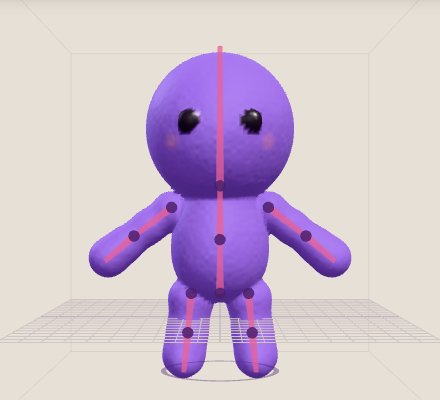
To rig a 3D character for free, use Adobe’s Mixamo or Clayground’s Rig a fella. Mixamo is free with an Adobe ID, takes FBX, OBJ or a ZIP, and rigs humanoid characters only, with a big animation library. Rig a fella is free with no account, takes a GLB, runs in your browser without an upload, and saves a rigged GLB or a VRM 1.0 file.
The two side by side
The Mixamo facts below come from Adobe’s help pages, which were last updated in 2021. Check them for what is current before you build on them.
| Topic | Mixamo | Rig a fella |
|---|---|---|
| Cost | Free with an Adobe ID, no Creative Cloud plan needed | Free, no account |
| You give it | FBX, OBJ or a ZIP with the textures | A GLB |
| Where it runs | On Mixamo’s site, so your file is uploaded | In your browser, nothing is uploaded |
| How you rig | Place markers on the wrists, elbows, knees and groin | Joints are measured from the shape, then you drag any that are off |
| Characters | Humanoids only; not animals or vehicles | A 16-bone humanoid; a hand is one bone |
| Animations | A large library to pick from on the site | Idle, walk, run, jump, crouch, punch, sword, shoot, block, hit and more |
| You get | Rigged and animated files to download | A skinned GLB or a VRM 1.0 file |
| Animation license | Royalty free for personal, commercial and non-profit projects, per Adobe’s FAQ | CC0 libraries by Quaternius, free in any project |
Rig a character in your browser
- Sculpt in the browser studio and Export a GLB, or use a GLB from anywhere else. Open Rig a fella.
- Drop the GLB. The tool reads the model’s shape and places the joints. Drag any dot that looks wrong, switch to the side view to move it front to back, or press Turn around if the character walks backwards.
- Pick the animations your game needs, and the set of bone names your engine expects: Unity and Godot, Mixamo or Unreal.
- Save a rigged GLB, or a VRM 1.0 file for VTuber apps and VRChat. A VRM carries the skeleton and no animations, because the app brings its own.
- Drop the GLB into your engine. The origin is between the feet, the character faces +Z in a T-pose, and it is the height you set.
Rig a character with Mixamo
Adobe’s page has you sign in with an Adobe ID, press Upload Character, then place the markers when the model appears, and pick animations. A few details matter for a clay character.
- Textures. For an FBX, turn on Embed media. An OBJ arrives gray unless you put the .obj, the .mtl and the pictures into one ZIP and upload that.
- Paint. Clayground can’t write an FBX, so you would send an OBJ. An OBJ has no standard place for vertex paint, so check how your colors arrive. Rig a fella bakes your paint into a small color texture so it survives.
- Who can use it. Adobe’s FAQ says Mixamo isn’t available to Enterprise or Federated IDs, or to users with a China country code.
Which one to use
- Mixamo if you want the biggest choice of ready-made animations and you are happy to sign in and upload.
- Rig a fella if the character is a big-headed clay figure, if you want a GLB or a VRM straight out, or if you would rather not upload or sign in.
What neither does
Mixamo’s FAQ says the auto-rigger is for humanoids and not for animals or vehicles. Rig a fella is humanoid too: a tail or a pair of wings follows the nearest bone and doesn’t swing on its own, and there are no finger, toe or face bones. For those, build the skeleton by hand in a program such as Blender. For a short clip with no skeleton at all, animate a sculpt works frame by frame.
Questions people ask
Is Mixamo free?
Adobe’s FAQ says Mixamo is free for anyone with an Adobe ID and needs no Creative Cloud subscription. The page dates from 2021, so check Adobe’s current one.
Can I rig an animal or a creature?
Mixamo says no: its auto-rigger and animations are for humanoid characters. Rig a fella is humanoid too, so an animal needs a skeleton built by hand in a program such as Blender.
Can I use Mixamo animations in a game I sell?
Adobe’s FAQ says characters and animations are royalty free for personal, commercial and non-profit projects. Read the current terms before you ship.
How do I rig a character without uploading it?
Use Rig a fella. It runs in your browser, so your file stays on your device.
What is a VRM file?
VRM 1.0 is a character format that VTuber apps and VRChat read. It carries the skeleton and no animations, because the app brings its own.
What file does Rig a fella open?
A GLB. If the file was squeezed with Draco or Meshopt, export it again without compression. GLB, OBJ or STL? explains the formats.
Sources
Checked November 19, 2026.