
Sculpt your favorite animal
Make a cat, a fish or any animal you like, using a photo.
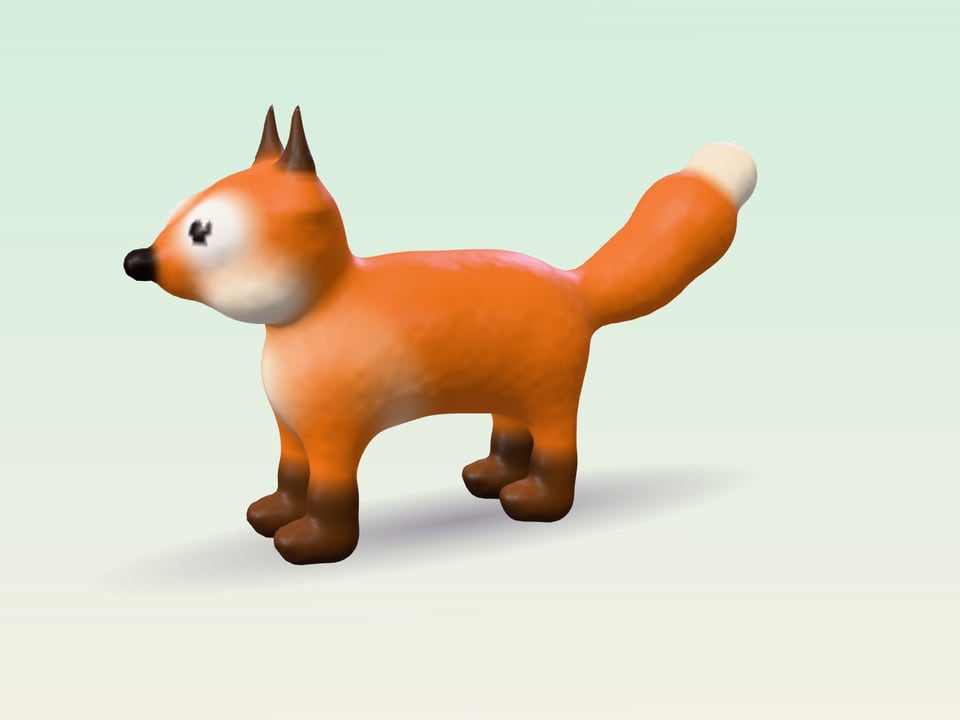
Before class
- Run Check a device on one student machine first.
- If a device already holds a sculpt, the studio offers it back. Students choose Start a new ball.
- Have students choose their animal before the period. One with a clear side view works best: a coiled snake or a bird in flight is hard.
- Each student needs one photo of their animal from the side, in a second tab or printed.
Run it
| 5 min | Students pick an animal and find a side photo. Pairs point out its biggest shapes on the photo. |
|---|---|
| 20 min | Build from the Side: the biggest shape, the next, the head, then the legs. Check the Silhouette. |
| 10 min | Ears, tail and eyes. Smooth the joins, fix big shapes with Move. |
| 5 min | One pass of Crease for fur, feathers or scales, then paint. |
| 5 min | Swap screens. The visitor names the animal from the side view alone. |
Student steps
- Pick your favorite animal. Open a photo of it from the side in a second tab. Find its two or three biggest shapes: a cat is a head, a chest and hips; a fish is a head and a body.
- Open View and choose Side. Build in this view, the way your photo is taken.
- The ball is the front of the body. In Shapes, pick Ball, drag Size up, tap its edge, press Stamp it: the back half. Tap where the next shape joins: the hips of a cat, the tail end of a fish.
- Add the head: pick Ball, drag Size down, tap the edge where the head goes, press Stamp it. In your photo, how many heads long is the body? Make yours the same.
- Press Mirror. Legs, ears and eyes come in pairs, and Mirror stamps both. Real animals are close to the same on both sides.
- Add legs or fins: in Shapes, pick Cylinder, tap the body's side, low down, press Stamp it. Legs join at the sides of the body. Stamp each pair, then press Next.
- Add what only your animal has: ears, a tail, a snout, a beak. Try Cone, tap the body, press Stamp it. Stamp each part, then press Next.
- Pick Smooth and drag over every join until the shapes flow into one body.
- Open View and choose Silhouette: the clay turns into one flat shape. Is it still your animal? If not, fix the big shapes now. Choose Silhouette again to turn it off.
- Pick Move and drag any big shape that reads wrong: a longer neck, a lower belly, a thicker leg.
- Add the eyes: in Shapes, pick Eye, tap the head where your photo has them, press Stamp it. Mirror makes the pair. A cat's eyes face front; a fish's sit on the sides.
- Pick Crease and drag short lines for fur, feathers or scales. One pass, then stop. Details come last. One light pass over the whole animal beats one part done well.
- Pick Paint, choose a color from your photo and paint the biggest areas first. Then the markings: stripes, spots, a pale belly. Press Next when it is painted.
- Open View and choose Side, then press Export and Save image.
Ask the class
- Which big shape did you change after checking the Silhouette?
- How many heads long is the body in your photo, and in your sculpt?
- What did the photo show that you would have guessed wrong?
Judge it
| Look for | Strong | Still growing |
|---|---|---|
| Big shapes match the photo | A classmate names the animal from the Silhouette. | A classmate needs the details to guess. |
| Parts grow out of the body | Legs, neck and head are joined and smooth. | Parts look stuck on, with seams. |
| Fixed something after a check | The student can say what Side or Silhouette made them change. | Neither check led to a change. |
If they finish early
- Turn Mirror off and bend the tail or the neck into a pose.
- Sculpt the same animal as a baby: a bigger head and shorter legs.
- Sculpt it again in five minutes with only Ball and Move.
Class link
https://www.clayvr.com/edu/sculpt?lesson=favorite-animal