
Sculpt an alien
Make an alien by changing one big thing on a real animal.
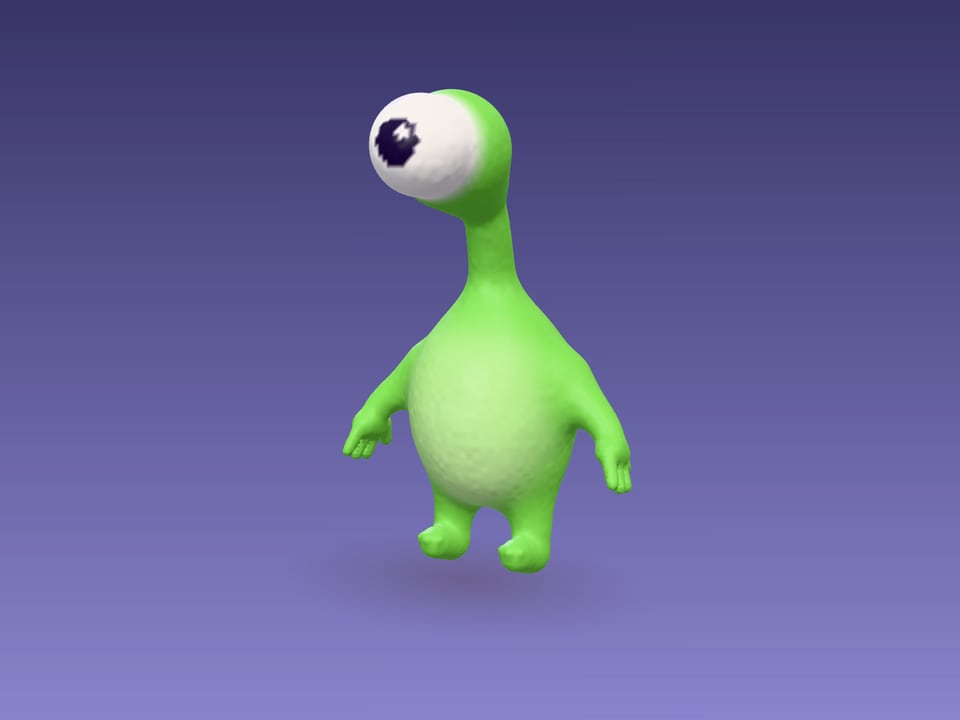
Before class
- Run Check a device on one student machine first.
- If a device already holds a sculpt, the studio offers it back. Students choose Start a new ball.
- Have students pick a real animal or person to start from, and find a photo of it.
- Tell them an alien can look strange, but it should still look like it could be alive.
Run it
| 5 min | Students pick a real animal or person and write down one big change. |
|---|---|
| 15 min | Block out the body and limbs, then Move to make the big change. |
| 10 min | Eyes, one extra part, the Silhouette check and Smooth. |
| 10 min | Crease the skin and paint it for where it lives. |
| 5 min | Swap screens. The visitor says what the big change is and what the extra part does. |
Student steps
- Pick a real animal or a person to start from. Now pick one big change: three eyes, no legs, a huge head or long arms. Keep the rest the same.
- The ball is the head. Open Shapes, pick Capsule, drag Size up, tap the bottom edge, press Stamp it: the body.
- Press Mirror, so arms, legs and eyes come in pairs.
- Add limbs: in Shapes, pick Capsule, drag Size down, tap the side of the body, press Stamp it. Arms, legs, wings, tentacles. Stamp each pair, then press Next.
- Pick Move and make your big change: a huge head, arms to the floor or a tiny body. One big change is easy to see. Five small ones look messy.
- Open Shapes, pick Eye, tap the head, press Stamp it. Try them far apart, stacked, on stalks, or one huge eye (tap the middle line). Press Next when the eyes are on.
- Add one extra part: pick Cone for an antenna or Capsule for a tentacle, tap, press Stamp it. Decide what it does. A part with no job looks stuck on.
- Open View and choose Silhouette. Does the outline look different from where you started? If it looks the same, make the big change bigger.
- Pick Smooth and drag over the joins so each part grows out of the one before.
- Pick Crease and drag lines for skin: wrinkles at the joints, rings, stripes or scales. Wrinkles where parts bend make the joints look real.
- Pick Paint, choose a color that fits where it lives, and paint the skin. Fish and lizards are good to look at. Decide where it lives: a hot planet, a deep sea or an ice moon. Press Next when the skin is done.
- Press Export, then Save image.
Ask the class
- What is the big change, and did a classmate notice it first?
- What does the extra part do?
- Where does it live, and how can you tell from its skin?
Judge it
| Look for | Strong | Still growing |
|---|---|---|
| One big change | A classmate points to the change within seconds. | Many changes and none stands out. |
| The extra part has a job | The student can say what it does. | It looks stuck on. |
| It looks different from where it started | The Silhouette is clearly different from the animal or person. | It looks like the animal or person in a costume. |
If they finish early
- Turn Mirror off and make one side different: a bigger claw, a broken horn.
- Check Top and Side. Does it still look good from every view?
- Sculpt the tool it carries, small enough to fit its hand.
Class link
https://www.clayvr.com/edu/sculpt?lesson=alien